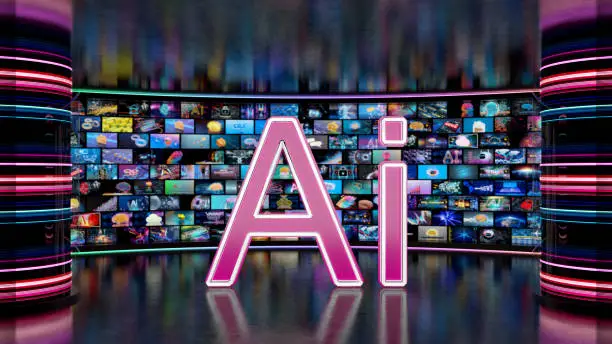
Video is the king of content in 2025. From TikTok reels to YouTube explainers, businesses and creators need video to connect with their audiences. But here’s the good news: you no longer need expensive software or editing experience. Thanks to AI video tools, anyone can create professional-looking videos in minutes.
In this article, we’ll explore 5 AI video tools you can use right now, even if you’ve never edited a video before.
1. Synthesia | AI Avatars for Professional Videos
Best for: Business presentations, tutorials, training videos
Synthesia lets you create videos with realistic AI avatars that can speak in multiple languages. Simply type your script, choose an avatar, and generate your video.
- ✅ 140+ AI avatars
- ✅ 120+ languages supported
- ✅ No cameras, microphones, or actors needed
2. Pictory | Turn Text into Engaging Videos
Best for: Content marketers, bloggers, and social media creators
Pictory converts blog posts, articles, or scripts into shareable short videos. It uses AI to select key highlights, add stock footage, and even generate captions automatically.
- ✅ Perfect for repurposing blogs into videos
- ✅ Auto captioning and summarization
- ✅ Cloud based, no heavy editing software required
3. Runway Gen-2 | AI Powered Video Generation
Best for: Creative storytelling, visual experiments, ad creatives
Runway Gen-2 is one of the most advanced AI video tools. You can generate short video clips from text prompts, images, or even still photos. It’s like having a Hollywood-grade special effects team in your browser.
- ✅ Text to video generation
- ✅ Background removal and motion tracking
- ✅ Powerful for ads, creative campaigns, and short films
4. InVideo | AI Video Editor for Beginners
Best for: Small businesses, YouTubers, social media ads
InVideo is an AI assisted video editor with drag-and-drop simplicity. It comes with thousands of customizable templates for ads, promos, and explainer videos.
- ✅ Huge stock library (images, video, music)
- ✅ AI voiceovers and text-to-speech
- ✅ Quick editing without technical skills
5. Descript | Podcast & Video Editing Made Simple
Best for: Podcasters, educators, YouTubers
Descript is more than just a video editor. It lets you edit videos like a text document — delete a word, and it removes that part of the video. Plus, it includes AI features like overdub (voice cloning), screen recording, and transcription.
- ✅ Easy “drag-and-delete” video editing
- ✅ AI-powered transcription
- ✅ Screen recorder + podcast editing in one tool
Why AI Video Tools Are a Game Changer in 2025
- Accessibility: Anyone can create videos without advanced skills.
- Cost Effective: No need to hire editors or buy expensive gear.
- Speed: Produce professional content in minutes, not weeks.
- Scalability: Perfect for brands managing multiple platforms.
How to Choose the Right AI Video Tool
When picking an AI video tool, consider:
- Your purpose (marketing, education, social media, corporate)
- Your budget (some tools have free plans, others premium only)
- Ease of use (drag-and-drop vs advanced creative features)
- Language support (important for global audiences)
Final Thoughts
AI video tools are no longer futuristic, they’re here and transforming content creation in 2025. Whether you’re a marketer, educator, freelancer, or entrepreneur, these tools save time, money, and effort while helping you produce videos that actually engage audiences.
If you’ve been avoiding video because it felt “too hard,” these 5 AI video tools prove that you can start today, no editing skills required.
FAQs | AI Video Tools
Q1. Do I need video editing skills to use these tools?
No. These tools are designed for beginners, most work with simple text prompts or drag-and-drop features.
Q2. Are AI video tools free?
Many offer free trials or basic plans, but advanced features usually require paid subscriptions.
Q3. Can AI video tools replace professional editors?
They’re great for fast, simple content but may not fully replace human editors for complex storytelling or filmmaking.
Q4. Which AI video tool is best for businesses?
Synthesia and InVideo are great for corporate or marketing videos, while Runway is best for creative ads.
Q5. Are AI generated videos copyright safe?
Most AI tools provide royalty-free media, but always check usage rights for commercial projects.