
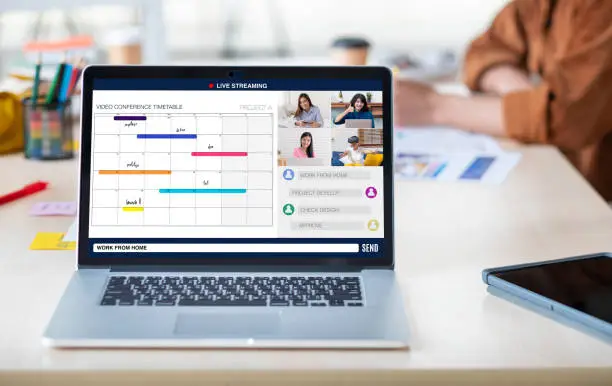
Remote work isn’t just a trend, it’s the future. In 2025, freelancers and small teams rely heavily on the right set of remote work tools and software to stay connected, organized, and productive.
But with so many options available, how do you choose the right tools? In this guide, we’ll break down the best remote work software designed specifically for freelancers and small teams.
Why Remote Work Tools Are Essential for Freelancers & Small Teams
Working remotely comes with unique challenges:
- Communication gaps across different time zones.
- Project management without a physical office.
- File sharing and real-time collaboration.
- Staying focused and productive.
That’s why having the right toolkit makes all the difference.
Best Remote Work Tools & Software Categories
1. Communication Tools
Strong communication is the backbone of any remote setup.
- Slack: Ideal for team chat, file sharing, and quick collaboration.
- Zoom: Best for video calls, meetings, and webinars.
- Google Meet: Lightweight, secure video conferencing for freelancers and teams.
2. Project Management Tools
Keep projects organized and deadlines on track.
- Trello: Visual Kanban boards, perfect for freelancers juggling multiple clients.
- Asana: Task and project tracking for small teams.
- ClickUp: All in one project management with docs, goals, and tasks.
3. File Sharing & Cloud Storage
Access and share documents securely from anywhere.
- Google Drive: Affordable, reliable cloud storage.
- Dropbox: Great for freelancers working with large files.
- OneDrive: Perfect for Microsoft Office users.
4. Collaboration & Document Editing
Working together in real time.
- Notion: Combines notes, databases, and project planning.
- Google Workspace: Docs, Sheets, and Slides for collaborative editing.
- Miro: Virtual whiteboard for brainstorming and visual collaboration.
5. Time Tracking & Productivity Tools
Freelancers especially need to track hours and manage productivity.
- Toggl Track: Easy time tracking for billing clients.
- RescueTime: Helps you analyze and improve focus.
- Clockify: Free time tracker for small teams and freelancers.
6. Invoicing & Payment Tools
Managing clients and payments remotely is crucial.
- PayPal: Widely accepted for global freelancers.
- Wise: Low fee international transfers.
- FreshBooks: Invoicing, accounting, and expense tracking for freelancers.
Remote Work Tools for Freelancers vs Small Teams
| Category | Best for Freelancers | Best for Small Teams |
|---|---|---|
| Communication | Google Meet | Slack |
| Project Management | Trello | Asana / ClickUp |
| File Sharing | Dropbox | Google Drive |
| Collaboration | Notion | Miro / Google Workspace |
| Time Tracking | Toggl Track | Clockify |
| Payments | Wise | FreshBooks |
Tips for Choosing the Right Remote Work Software
- Scalability: Pick tools that grow with your projects.
- Ease of Use: Avoid tools with steep learning curves.
- Integration: Choose apps that connect with each other (e.g., Slack + Google Drive).
- Cost-Effectiveness: Many tools offer free or affordable freelancer-friendly plans.
The Future of Remote Work Tools in 2025
The future of remote work is about integration and AI powered productivity.
- Tools like Notion AI and ClickUp AI help automate repetitive tasks.
- Hybrid team tools blend office and remote collaboration seamlessly.
- Expect more privacy-focused and lightweight apps built for freelancers.
Final Thoughts
Whether you’re a freelancer managing multiple clients or a small team collaborating remotely, the right remote work tools and software can help you save time, reduce stress, and stay productive.
By investing in reliable communication apps, project management tools, and secure file-sharing software, you can build a smooth, stress-free remote workflow in 2025.
FAQs – Remote Work Tools for Freelancers & Small Teams
Q1. What is the best remote work tool for freelancers?
Trello and Toggl Track are excellent for managing projects and tracking time.
Q2. What is the best software for small remote teams?
Slack (communication) and Asana (project management) are top picks.
Q3. Are there free tools for remote work?
Yes, tools like Google Drive, Clockify, and Trello have free versions.
Q4. How do I choose the right remote work software?
Focus on usability, integration with other apps, and whether it suits your workflow.