
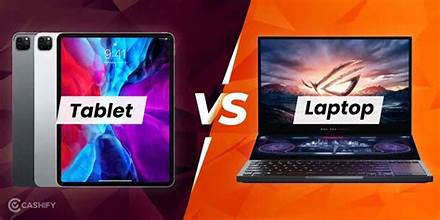
In today’s fast-paced, mobile-driven world, the ability to work from anywhere is more than just a convenience—it’s a necessity. Whether you’re a remote worker, frequent traveler, student, or digital nomad, choosing the right device can make or break your productivity. As laptops and tablets continue to evolve with advanced processors, longer battery life, and cloud-based apps, the decision between the two isn’t as straightforward as it once was. In 2025, both devices offer unique advantages depending on how and where you work. In this guide, we’ll explore the key differences between laptops and tablets to help you decide which is the better fit for your on-the-go lifestyle.
Laptop vs Tablet: Best Devices for Work on the Go (2025)
In today’s mobile-first world, remote work and digital nomadism are more popular than ever. That raises a crucial question: Should you choose a laptop or a tablet for work on the go in 2025? With both device types evolving rapidly—powered by stronger processors, better batteries, and AI features—the answer depends on your workflow, mobility needs, and productivity tools.
Below, we break down the strengths and weaknesses of laptops and tablets so you can choose the best device for your portable office.
Laptops: Power and Productivity
- High performance: Perfect for multitasking, video editing, coding, and large spreadsheets.
- Full desktop experience: With physical keyboards, larger screens, and full OS like Windows/macOS.
- Software compatibility: Run professional software suites (Adobe, AutoCAD, etc.) without compromise.
Cons:
- Heavier and bulkier: Most laptops weigh more than tablets.
- Shorter battery (for high-power models): Especially in high-performance ultrabooks or gaming laptops.
Best For: Professionals who need maximum power, such as developers, designers, marketers, and writers.
Lightweight and Versatile
- Ultra-portable: Thin, light, and easy to carry.
- Touchscreen interface: Great for note-taking, sketching, and presentations.
- Long battery life: Many tablets last all day on a single charge.
- 2-in-1 flexibility: Detachable keyboards and stylus support add versatility.
Cons:
- Limited software: Some professional apps are unavailable or limited on iPadOS/Android.
- Typing speed: Touch or compact keyboards aren’t ideal for long-form typing.
Best For: Creatives, casual users, business travelers, and students who prioritize portability.