
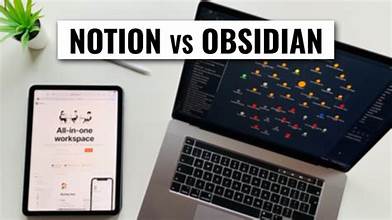
In today’s fast-paced digital world, staying organized is more important than ever. Whether you’re jotting down meeting notes, brainstorming ideas, planning a project, or writing a research paper, having the right note-taking app can make a huge difference. With so many options available, choosing the perfect tool can feel overwhelming. In this comparison, we’ll break down three of the most popular and powerful free note-taking apps in 2025 Notion, Obsidian, and Evernote. Each offers unique features suited to different workflows, from structured project planning to networked thinking and classic note-taking. Let’s explore which one is best for your needs.
Notion: Best for Structured Organization
Notion shines as an all-in-one workspace. You can take notes, manage tasks, build databases, and collaborate with teams—all in one sleek interface. It’s perfect for people who like structured planning and need to combine notes with project management tools.
Pros:
- Highly customizable pages
- Templates for anything (journals, calendars, wikis)
- Web clipper & browser support
Cons:
- Can feel overwhelming at first
- Limited offline access on free plan
Obsidian: Best for Connected Thinking
Obsidian is built for knowledge management. It uses markdown files saved locally, giving you full control of your data. Its standout feature is the graph view, which visualizes how your notes link together—great for writers, researchers, and deep thinkers.
Pros:
- Local-first, privacy-focused
- Supports backlinks and plugins
- Full offline access
Cons:
- No native cloud sync (requires setup)
- Steeper learning curve for new users
Evernote: Best for Traditional Note-Taking
Evernote is a veteran in the note-taking space. Its clean layout, reliable web clipping, and search functionality make it ideal for simple, straightforward note-taking and task tracking.
Pros:
- Intuitive interface
- Great for storing PDFs, audio notes, and images
- Powerful search, including handwriting recognition
Cons:
- Limited features in free plan
- Collaboration and syncing restricted unless you upgrade